


Zunoy Forms just got a lot more capable. You can build smarter forms, make them look like your brand, keep spam out, and see exactly how each form is doing. It also works with the AI tools you already use. Fewer workarounds, more forms.
Build better forms
Less copying and pasting, fewer questions people have to scroll past.
- Multi-page forms and thank-you pages: Split a long form across pages so it feels lighter to fill in, and show a thank-you page when someone submits.
- Smart forms: Add logic and calculations, and pre-fill answers so people have less to type.
- Templates: Start from a ready-made template for contact, leads, feedback or waitlists, instead of a blank page.
- Version history: See the changes made to a form over time.
See everything the form builder can do.
Make it look like yours
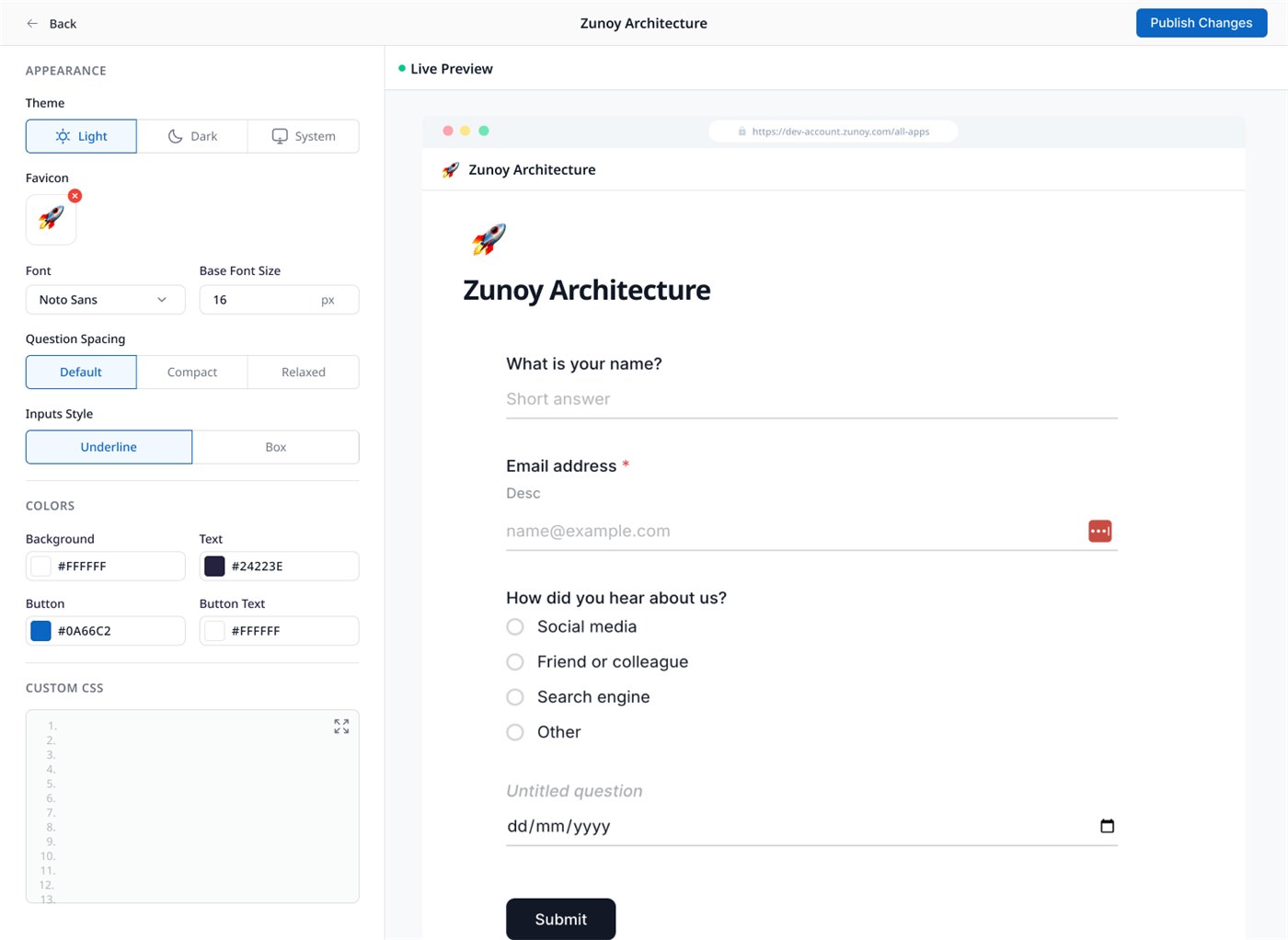
Choose a light, dark or system theme, your font and base size, question spacing, and underline or box inputs. Set your own background, text and button colors, and add custom CSS if you want full control. The live preview shows every change before you publish.
Decide who responds
- Sharing and embedding: Share a form as a link, embed it on your website, or show it as a popup.
- Access control: Decide who can respond to a form, and when.
- Partial responses: Keep the answers from people who started a form but didn’t finish, so they aren’t lost.
Keep spam out
A stronger Form Shield
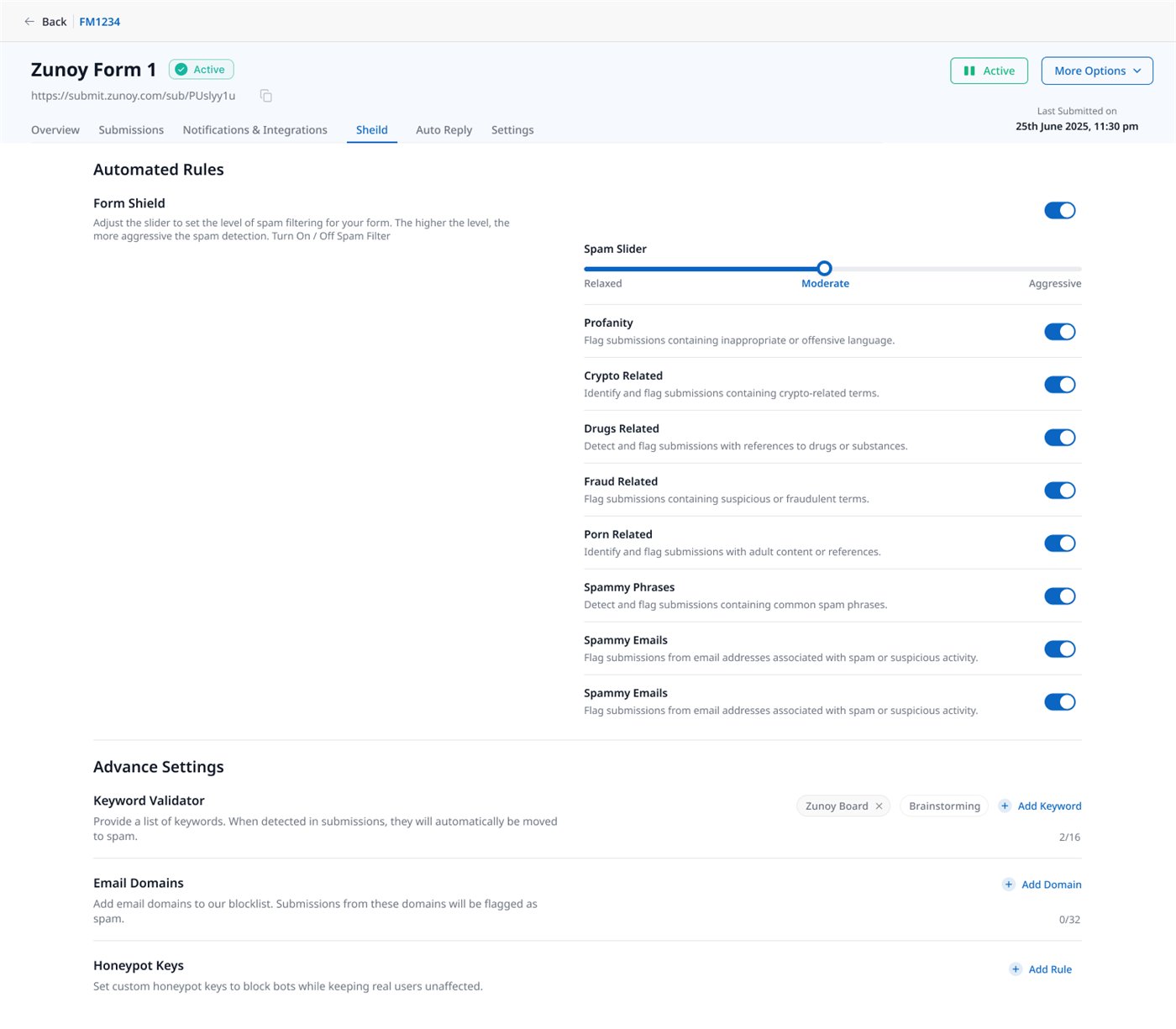
Use one slider to set how strict spam filtering is, from relaxed to aggressive. Then turn on the filters you need:
- Profanity, plus crypto, drug, fraud and adult content
- Common spam phrases, and email addresses linked to spam
- Keyword validator: Send submissions that contain your keywords straight to spam.
- Email domains: Block whole domains.
- Honeypot keys: Stop bots without getting in the way of real people.
Auto reply
Set an automatic reply for each form, so people hear back when they submit.
See how your forms are doing
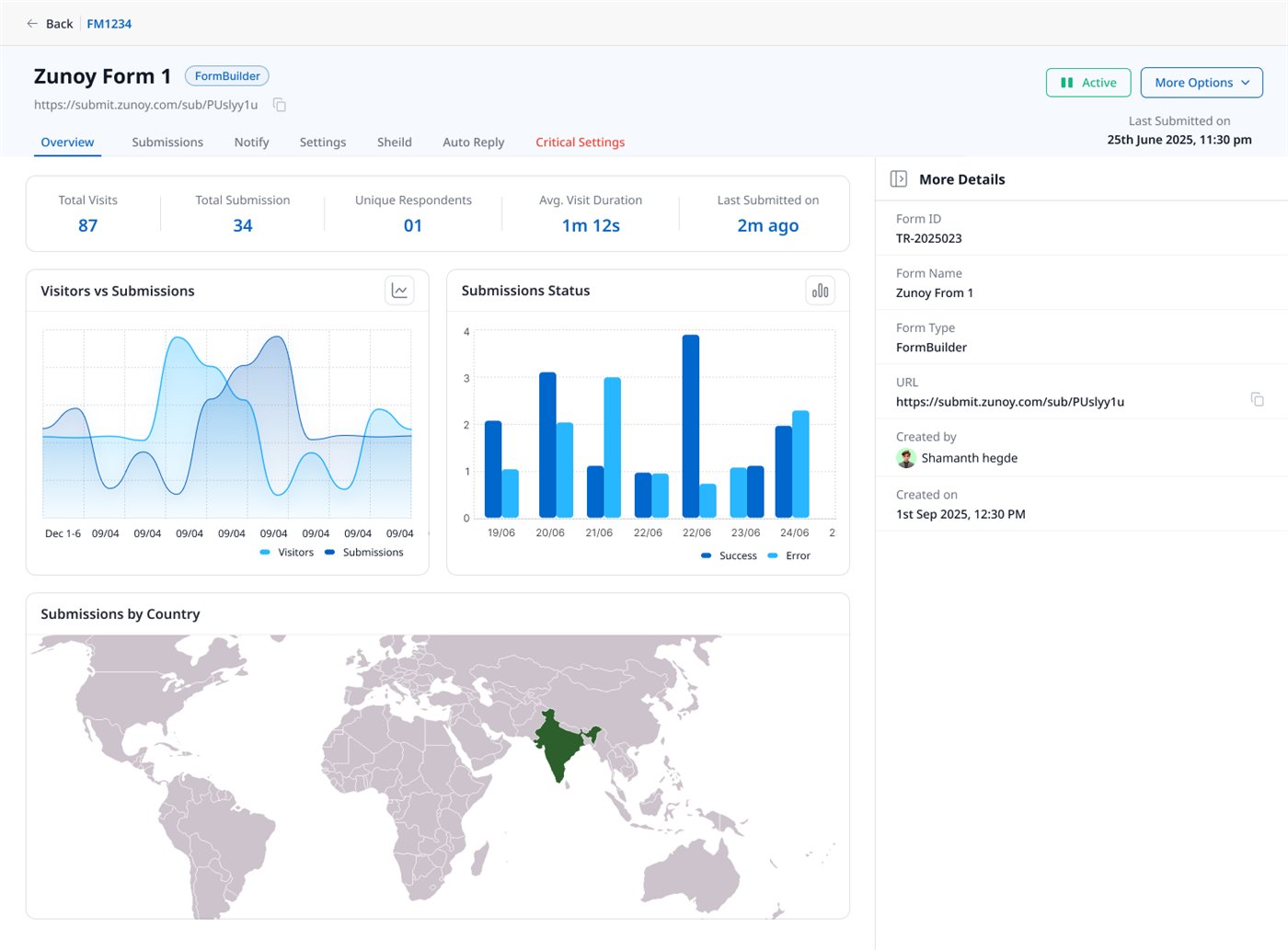
Each form now has its own dashboard: total visits, submissions, unique respondents and average visit time. Charts compare visitors with submissions, show successful and failed submissions, and map where your submissions come from.
AI in Forms (Beta)
Two new ways to work with your forms through AI.
MCP: use Forms from Claude or Codex
MCP (Model Context Protocol) is a standard way for AI assistants to connect to other apps. Connect Zunoy Forms to Claude or Codex, and work with your forms right from there.
Zunoy AI Agent
A new AI agent for Zunoy Forms. {One or two sentences on what it helps you do, and where to find it.}
A fresh new look
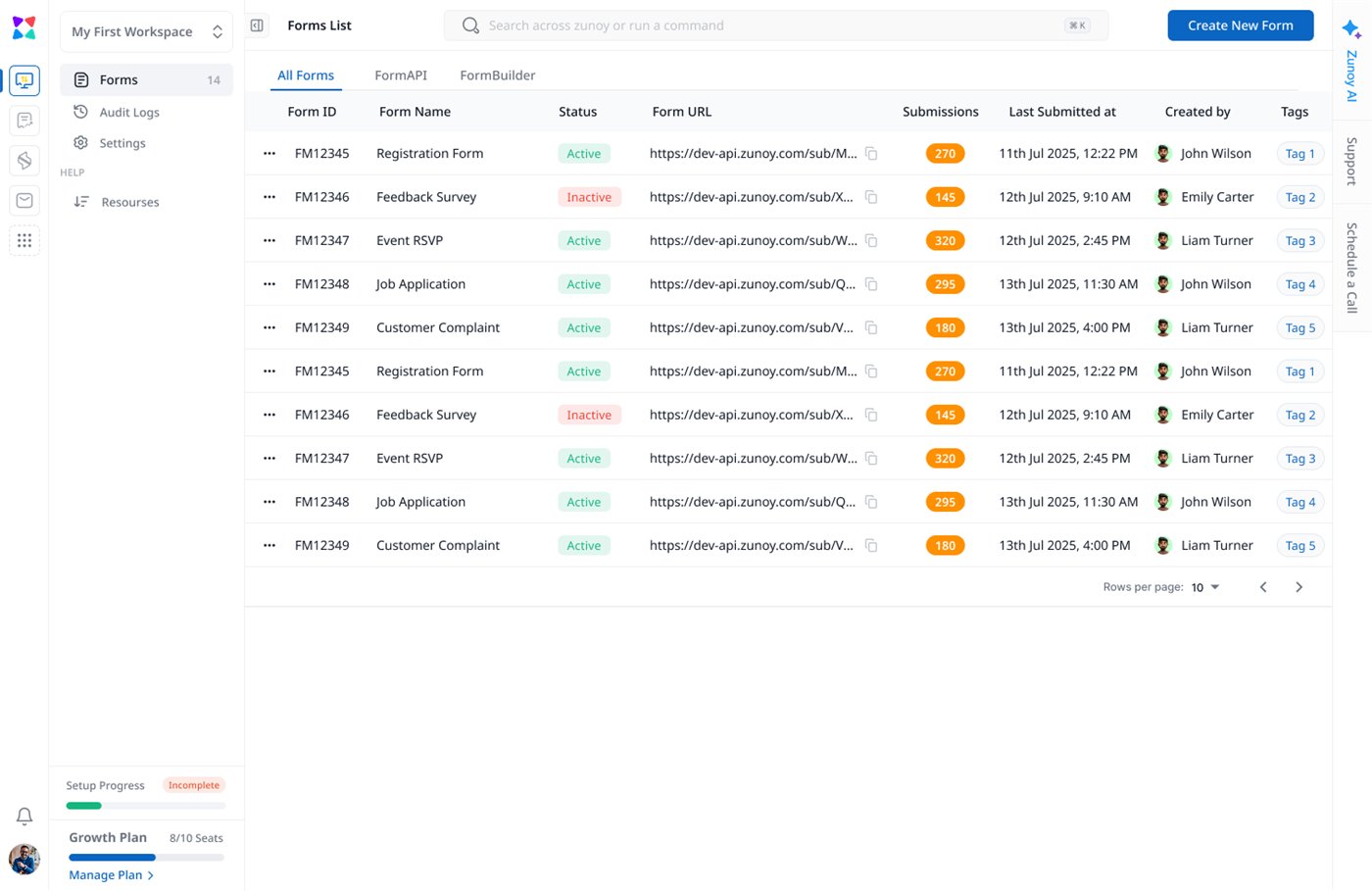
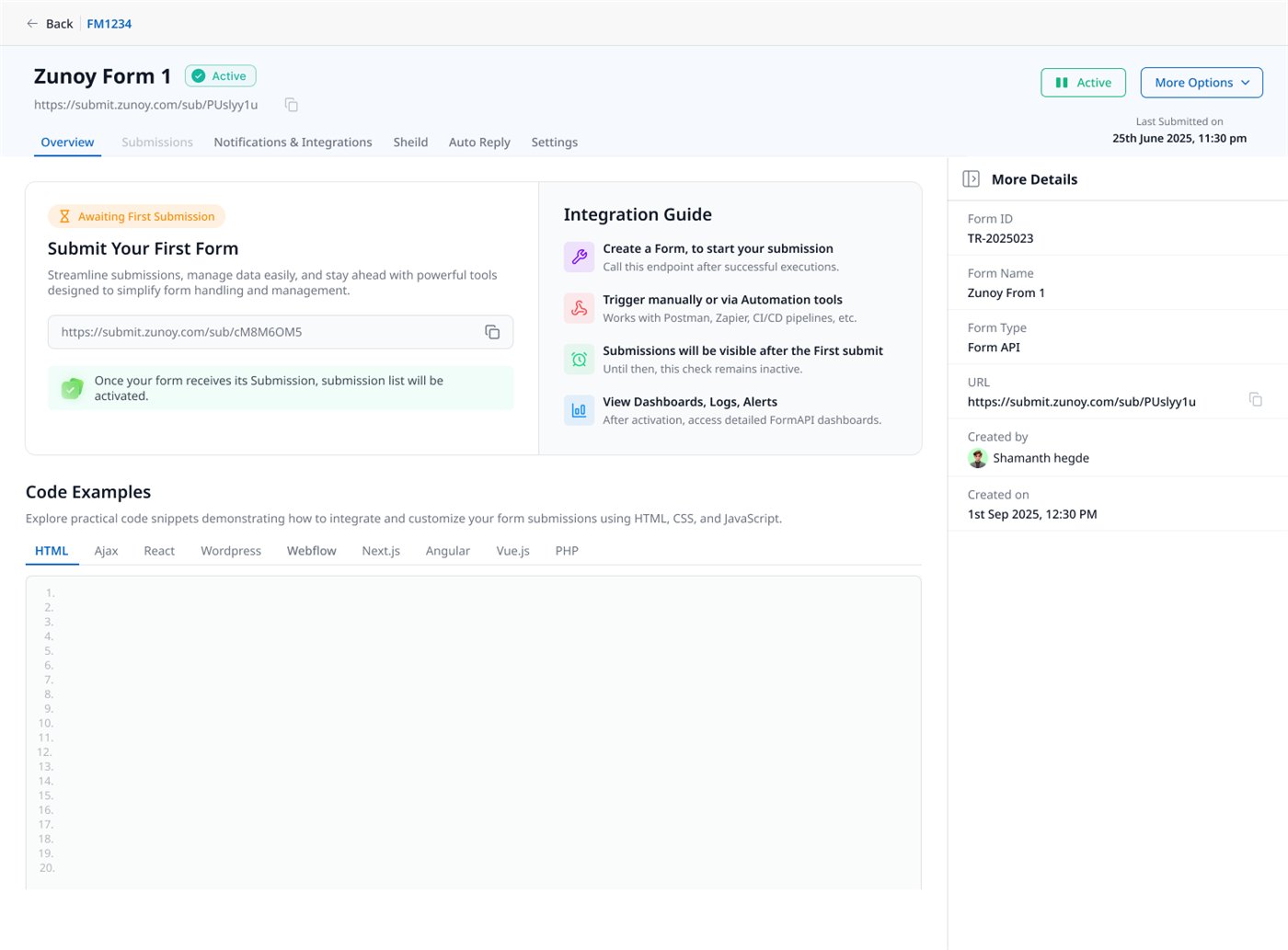
Zunoy Forms has a new design. All your forms sit in one list, with their status, submissions and tags, and you can filter by FormBuilder or FormAPI.
FormAPI forms show a step-by-step integration guide and ready-to-copy code for HTML, Ajax, React, WordPress, Webflow, Next.js, Angular, Vue.js and PHP. See the integration guides.
Who is Zunoy Forms for?
Zunoy Forms works for anyone who collects answers from other people. A few examples:
- E-commerce owners: Turn form submissions into tickets, and send an auto reply to customers without writing code.
- Waitlists and beta sign-ups: Use a multi-page form and a thank-you page to keep sign-up short and friendly.
- Hiring and applications: Keep the answers from people who started an application but didn’t finish it.
- Developers: Keep your own HTML form, send its submissions to Zunoy with Form API, and let Form Shield block the bots.
Starting from scratch? Pick a template for contact forms, leads, feedback or waitlists, and change it to fit.
Everything in this release
Form builder
- New: Multi-page forms and thank-you pages
- New: Smart forms
- New: Templates
- New: Version history
- New: Design controls and live preview
Sharing and responses
- New: Sharing and embedding
- New: Access control
- New: Partial responses
Spam and replies
- Improved: Form Shield
- New: Auto reply
Analytics
- Improved: Analytics and dashboard
AI and design
- New: MCP for Claude and Codex
- New: Zunoy AI Agent
- Improved: New design
Try Zunoy Forms
Already using Zunoy Forms? Open Forms and try multi-page forms or the new Form Shield on your next form. New to Zunoy? Get started, it’s free.
Questions or feedback? Write to support@zunoy.com. We’d love to hear what you think.
