


Zunoy AppShare has a fresh new look. Most of the features you know are still right where you left them. What’s new is how it all feels: a cleaner layout, settings and logs in one place, a redesigned CLI and CI/CD tab, and install pages that are easier for your testers to use. Here’s everything that changed, grouped by where you’ll notice it.
A new layout, on desktop and on your phone
- New layout: A menu bar across the top and a slim side bar on the left.
- Phone menu: A button opens a drawer with all your pages, your workspace, your setup progress and your plan.
- Display size: Choose Compact, Default or larger, whatever is comfortable for you.
- Free trial banner: A banner across the top shows how many days are left in your trial.
- Updates button: Product news, all in one place.
Find things faster
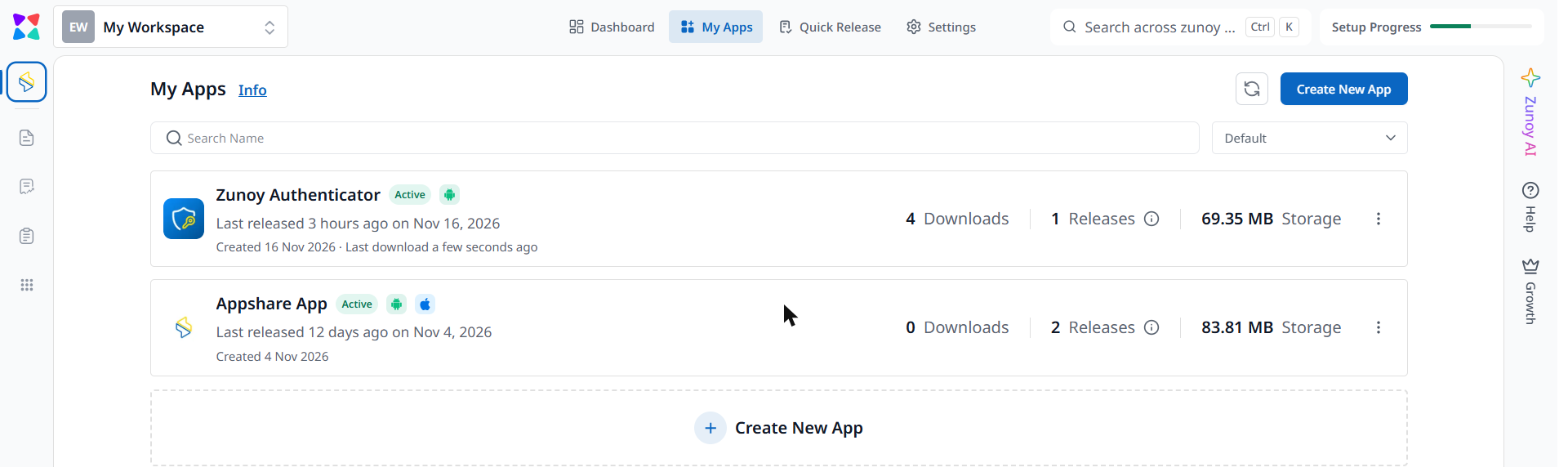
- Search: It now covers apps (including by public name), quick releases and pages.
- My Apps: Sort by name, created date and last release, as well as downloads, with more details on each row.
- Quick Release: Filter by status: Active, Paused or Expired. Try a quick release.
- App and release pages: Cleaner tabs, and loading placeholders instead of spinners.
Quick Release is the fastest way to share a single build. Upload an .apk or .ipa without creating an app first, and you get an install link and a QR code right away, with an optional password and expiry date.
Set up faster
Onboarding
There’s a new setup flow and a trial screen, plus short guided tours on each page, so it’s clear where to start.
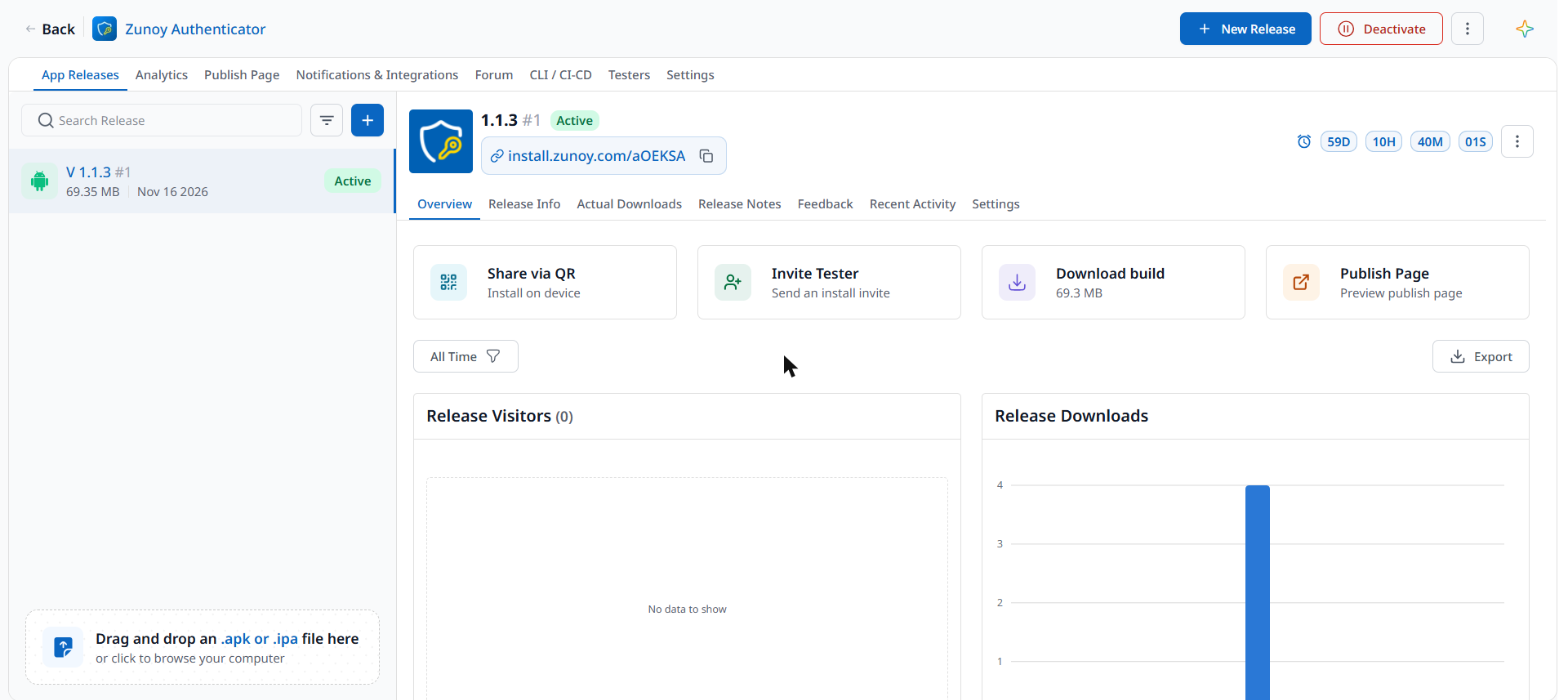
CLI and CI/CD tab
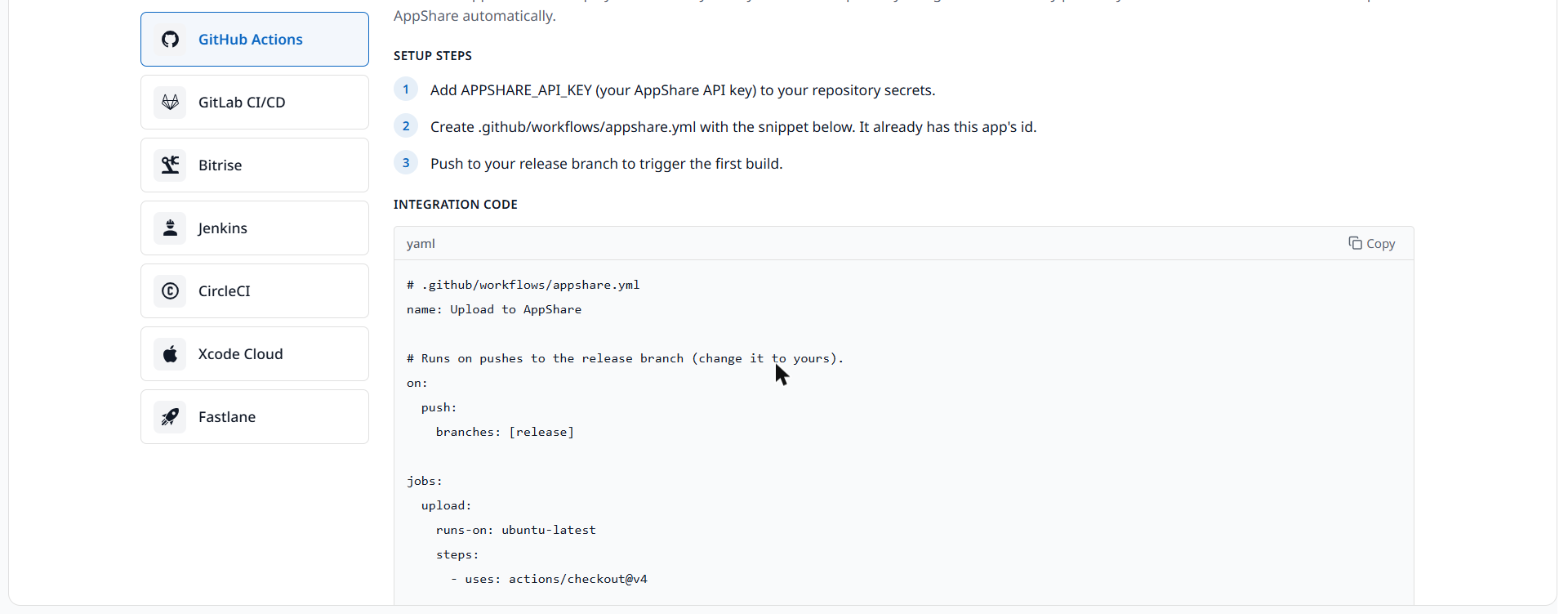
The tab is redesigned, with ready-to-copy setup steps for each CI provider: GitHub Actions, GitLab CI/CD, Bitrise, Jenkins, CircleCI, Xcode Cloud and Fastlane. See the CI/CD guides.
You don’t need the CLI or CI/CD to use AppShare, because uploading from the dashboard works too. Both are included on every plan, including Free. To automate it, add the command as a step after your build and keep your API key as a secret in your pipeline.
Settings, logs and teamwork
Settings
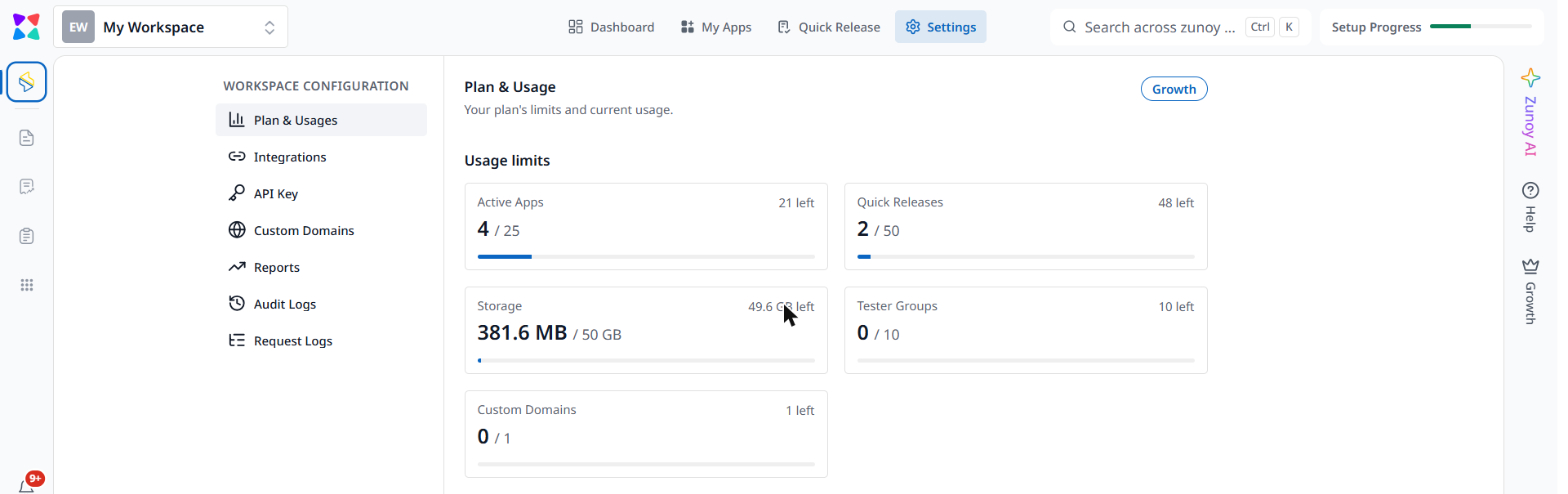
Plan & Usage, Integrations, API Key, Custom Domains, Reports, Audit Logs and Request Logs now sit together in one place, in the new design. Audit Logs is new.
Logs
Request Logs has more filters, and there are new Trigger Logs for your integrations.
Custom domains
One domain can now serve several apps, each at yourdomain.com/app-name.
Your install page can carry your own logo, favicon and colors too, so testers see your brand, not ours.
Forum
Messages send instantly. If one fails, you can retry it or discard it.
Testers can leave comments and attachments in each release’s forum, so feedback stays next to the build it is about.
A better install page for your testers
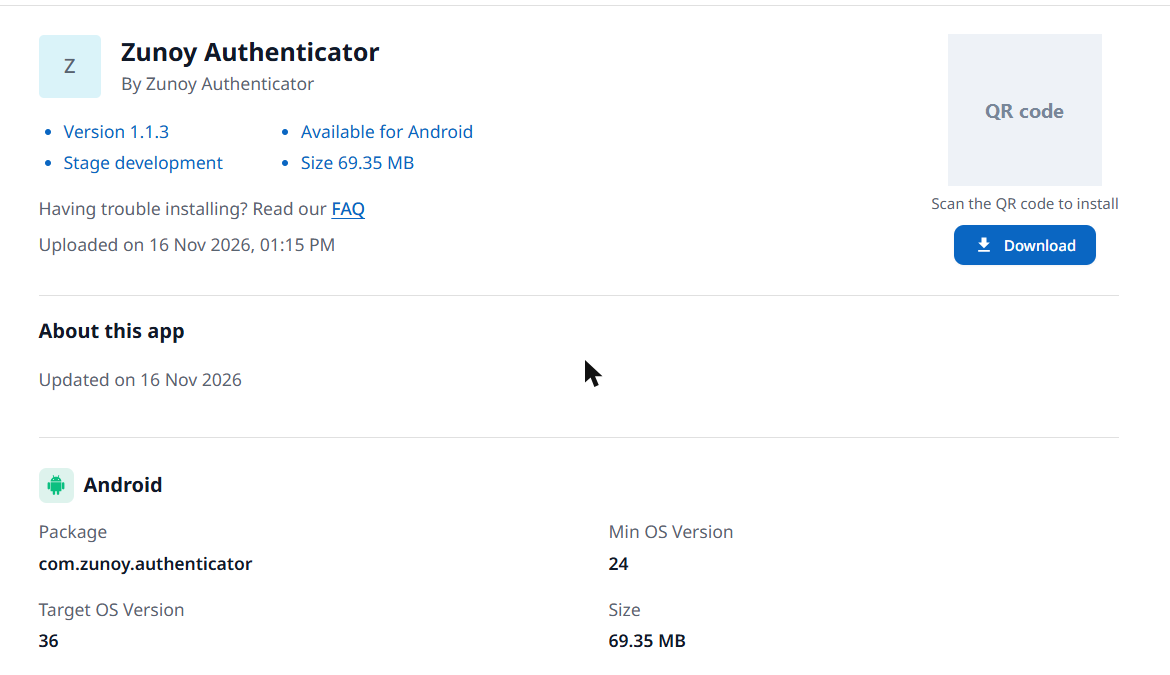
- Dates and file sizes look the same everywhere, for example “10 Nov 2026” and “4.63 MB”.
- The page shows your app’s public name (“By <Public Name>”), and the FAQ starts with questions for the tester’s own platform, iOS or Android.
- Paused builds now say they are temporarily paused, so testers know to come back later.
- Pages load faster, with about half the code they had before.
On Android, testers open the link, tap Install and allow installs from this source the first time. On iPhone, they open the link in Safari and tap Install. For iOS ad hoc builds, the device’s UDID needs to be included when the build is signed.
Each release can be public or private, with an optional password and expiry date, so you decide who can install it and for how long.
Everything in this release
Layout and navigation
- New: New layout, phone menu, display size, free trial banner, Updates button
- Improved: Search, My Apps sorting, Quick Release status filter, app and release page tabs
Setup
- New: Onboarding flow, trial screen, guided tours
- Improved: CLI and CI/CD tab
Settings and logs
- New: Audit Logs, Trigger Logs
- Improved: Settings, Request Logs filters, Plan & Usage, Reports, API Keys, Custom Domains
Teamwork and testers
- New: One custom domain for several apps
- Improved: Forum messages, install pages for testers
Try the new AppShare
Already using AppShare? Open AppShare and take a look around. New to Zunoy? Get started, it’s free.
As of November 2026, the Free plan includes 3 active apps, 5 Quick Releases and unlimited testers, with no credit card needed.
Questions or feedback? Write to support@zunoy.com. We’d love to hear what you think.
