Zunoy Notes Features — One App. Every Feature You'll Ever Need.
Write it, organize it, connect it, share it.
Every feature below lives in the same workspace — no plugins to install, no separate app to open halfway through your workday.
The Zunoy Notes Editor
Write Anything. Build Anything
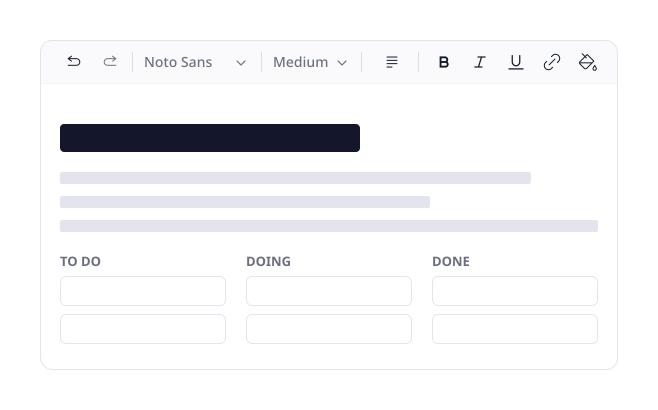
Most editors give you a text box and call it a day. The moment your thinking gets more complex than a paragraph — a table, a checklist, a project you need to track visually — you're suddenly exporting to some other app that was actually built for it. Zunoy Notes was built to hold all of it in the same place, so the editor bends to what you're building instead of the other way around.
Headings H1—H6, paragraphs, bulleted & numbered lists, checklists, quotes
Code blocks, collapsible toggles, math equations
Tables, images, videos, columns
Kanban boards — visual project tracking inside any note
Find & replace — edit smarter, not harder
Custom fonts, reactions, undo history
Structure and Navigate Without the Stress
Everything Has Its Place
A notes app is only as good as how fast you can find what you already wrote six weeks ago. Zunoy Notes gives you more than one way to get back to it — pick whichever matches how your brain actually works that day.
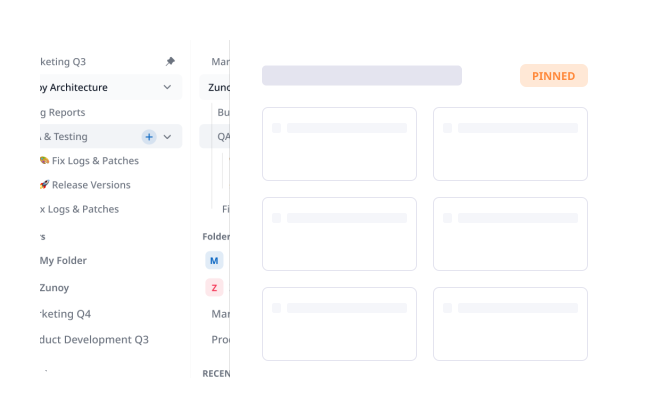
Folders, notes & sub-notes — build a hierarchy that mirrors how you think, not how a filing cabinet is structured
Pin, hide & lock — keep what matters visible up top, and keep what's sensitive out of casual view
Global search — search your entire workspace at once, not folder by folder
Split view — write in one note while referencing another, side by side, no tab-switching
Backlinks — instantly see every note that links back to the one you're reading
Recent activities & version history — every change is tracked, so nothing is ever actually lost
Keyboard shortcuts — every action you'd reach for a mouse for, one keystroke away instead
Stay On Top of Everything
Your Notes Know What's Due
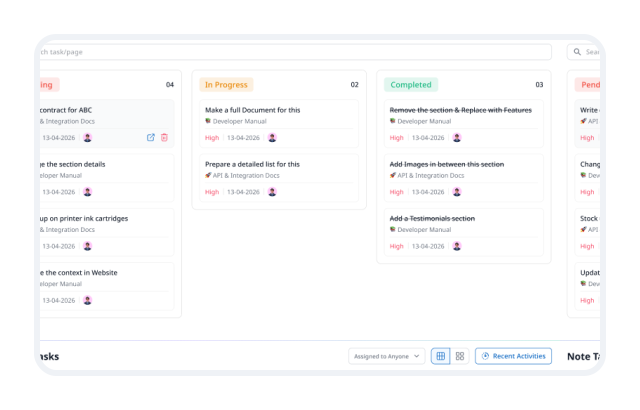
Running a notes app and a separate task manager means your context lives in two places and your to-do list is never quite in sync with the thinking behind it. Zunoy Notes closes that gap.
Tasks & checklists — turn any line into an action item inline, right where the idea appeared, in one unified view
Reminders — set inside any note, they surface exactly when you need them, not a generic notification later
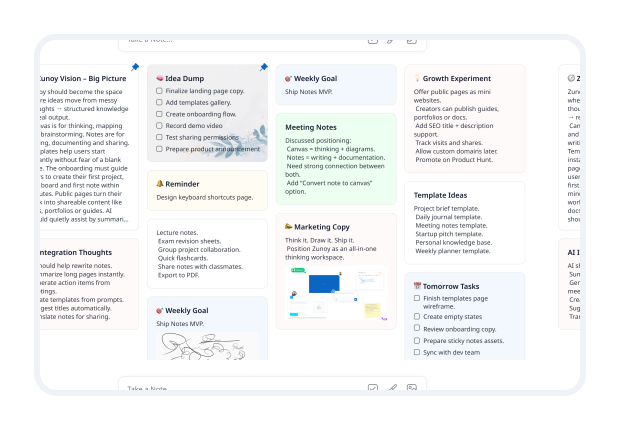
Sticky Notes — a fast-capture layer for the half-formed thoughts you're not ready to file away yet
Daily Notes — a fresh, dated note every day, ready before you even open the app
Calendar module — see scheduled notes, tasks, and reminders together in Day, Week, or Month view
Timeframe — park a task for later without losing track of it or letting it clutter today's view
Insights That Make You Smarter
Your notes aren't just where information gets stored — over time, they're a record of what you've built and shared. Zunoy Notes shows you how that content is actually performing.

Page analytics
see who viewed a published note, how many times, and roughly where fromPage statistics
word count, heading structure, links, and media, all at a glanceOutgoing links
every external link inside a note, tracked in one place so nothing goes stale unnoticedTake Your Notes Further
From Private Note to Public Stage
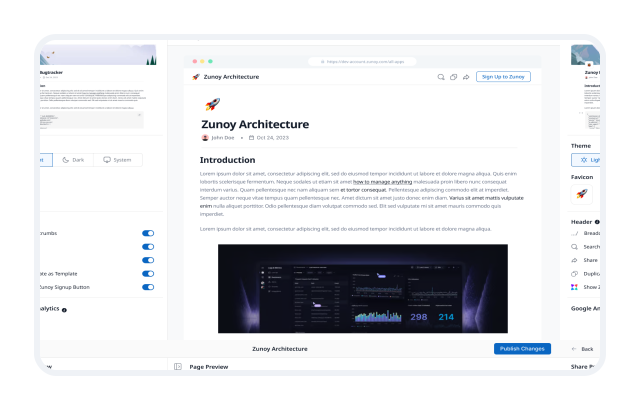
A note doesn't have to stay locked inside your workspace. Turn it into a live, SEO-optimized web page in a single click — control who sees it, put your own domain behind it, and skip building a separate website just to share something.
Public Pages — publish any note as a shareable web page instantly
Custom Domain — put your own branding on the published URL
Presentation mode — turn any note into a polished presentation on the spot, no separate slide deck required
Collaboration Built In
Your Team's Brain, Connected
Whether it's a five-person team or a five-hundred-person org, collaboration shouldn't mean a dozen permission emails and a comment thread nobody can find later.
Real-time collaboration — see edits appear as they happen, not after someone refreshes
Comments & reactions — give feedback inline, right next to what it's about
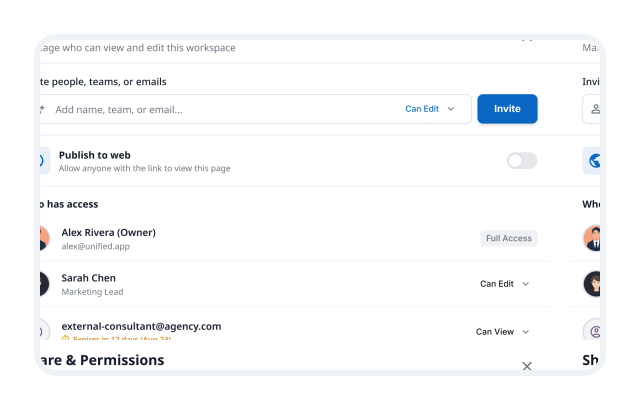
Permission Manager — set exactly who can view, edit, or share each workspace or note
Audit Logs — a full trail of every action across the workspace (Team plan)
Running a larger org?
Zunoy Notes Enterprise adds workspace-level management, custom domain support, advanced audit logging, and dedicated support — built for teams that need more control, not just more seats.
Zunoy Ecosystem
Your Notes. Now With Superpowers.
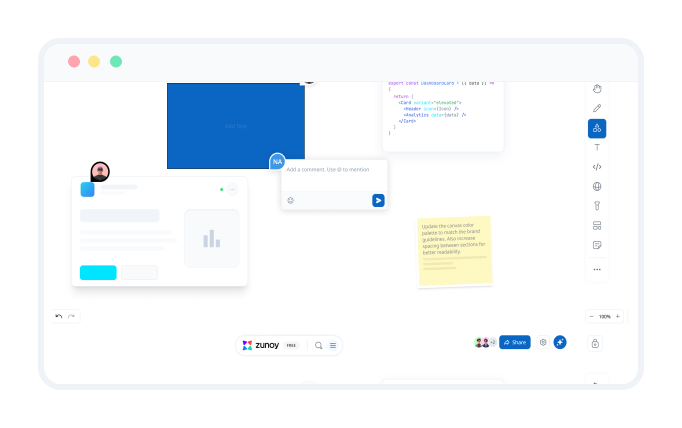
Integrations - Zunoy Canvas — open a full whiteboard directly inside any note. Plan visually, document in words, and keep both versions of the same idea in sync without switching apps.
Also works with Zunoy Timesheet — track time against the work in a note without ever leaving your workspace.
Zunoy Notes AI
Your Notes Just Got a Lot Smarter
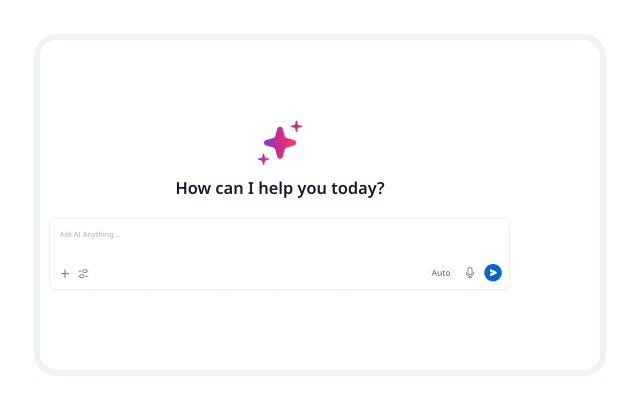
AI that lives inside your notes, not in a separate tab you have to remember to open. Ask a question and get an answer pulled from across your workspace. Hand it a rough draft and get something sharper back. Point it at a meeting and get the action items without writing them yourself.
The Honest Comparison
How Zunoy Notes Compares to the Rest
Notion gives you structure but adds friction; Evernote brings legacy but lacks agility. Zunoy Notes gives you the power of a modern workspace with the speed of a blank page.
See exactly where it stands, feature by feature, against the alternatives — without pretending any one tool is right for everyone.
Questions? We’ve Got Answers
What kind of content can I create in Zunoy Notes?
Create everything from quick notes and meeting summaries to research hubs, project plans, checklists, tables, Kanban boards, documentation, and shared team pages.
Does Zunoy Notes work offline?
Offline availability depends on the platform and current product support. Check the latest product documentation for the most accurate details before relying on offline access.
Can I collaborate with my team in real time?
Yes. Work together in shared spaces, edit notes in real time, leave comments, react to ideas, and share context without moving the conversation into another tool.
How do I publish a note as a public page?
Open the note you want to share and publish it as a Public Page. You can control access, add password protection, connect a custom domain, and manage visibility before sharing it.
Is there a free plan?
Yes. You can start with Zunoy Notes for free, with no credit card required. Upgrade when you need additional features, collaboration, AI usage, or publishing controls.
Every Feature. One Workspace. Zero Compromises.
Stop stitching together five different tools just to think, write, and share your work. Everything above lives in the same place, and getting started costs nothing.

Notes
Zunoy online notes helps you capture every idea, organise the knowledge behind it.
Operational
Contact Us On
Mail Us
support@zunoy.comCopyright © 2026 - Mentcube Innovations Pvt Ltd.. All Rights Reserved.